Lyric Videos for TikTok — Cut to Your Hook, Not Your Intro
A TikTok lyric video has two jobs: words that land exactly when they are sung, and a first second worth staying for. Upload your song and both are done for you — the vocal is timed word by word, and the clip starts on the part of the song that hits hardest.
How do I make a lyric video for TikTok?
Upload your song (MP3, WAV, Suno or Udio export, even an MP4 — the audio is pulled out). Songbrain transcribes the vocal with a timestamp on every word, finds the seconds your song is strongest, and renders vertical 9:16 lyric videos cut to that moment. You type nothing and time nothing.
Each clip comes with a caption and hashtags. Connect your TikTok account and you can post it straight from the result page — posts to TikTok are rendered clean, without the Songbrain watermark, on every plan.
The first song is free and needs no account. Downloads on the free plan are 720p with a small watermark; Premium downloads are clean 1080p.
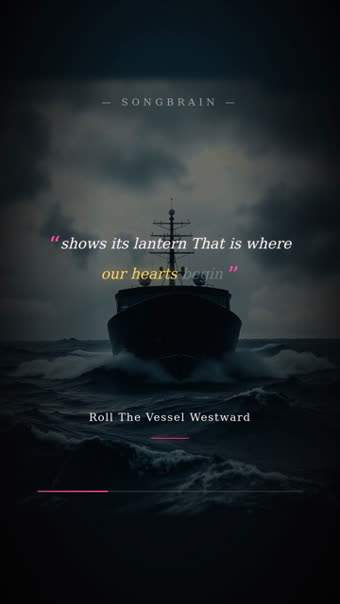
Why most TikTok lyric videos start in the wrong place
Lyric video tools time the words. Almost none of them tell you which part of the song to use — so the clip starts at the intro, or at whatever you dragged the handle to. On TikTok that is the expensive mistake: viewers decide in the first second or two, and the intro is rarely the part that makes anyone stay.
Here the song is analyzed first. The moment detection ranks your strongest seconds, and the lyric clips are cut around them — at least 14 seconds, ending on a finished line instead of mid-word. If your hook only arrives at 1:10, the video starts close to 1:10.
The timing comes from the audio itself. A misheard word is a text fix; you never nudge a line by 200 ms to make it feel right.
A TikTok lyric video checklist
| Check | Why it matters on TikTok | What happens here |
|---|---|---|
| Start on the hook | Viewers swipe in the first seconds — the intro rarely holds them | Clips are cut around your ranked strongest moment |
| Words on the sung beat | A line that appears late reads as amateur, even if nobody can say why | Word-level timestamps from the vocal, no manual timing |
| 9:16, full screen | Letterboxed 16:9 looks like a repost | Every clip renders vertical, 1080×1920 on Premium |
| Text clear of the caption area | TikTok's caption and buttons cover the bottom and right edge | Preview the clip on your phone before you post — check the last fifth of the frame |
| One song, several posts | One video is one lottery ticket; the algorithm tests each post separately | Several lyric looks per song, so you can post more than once |
| Caption and tags | Tells TikTok who to test the video on | A caption and hashtags come with every clip; edit before you post |
What you get for TikTok
Cut to your strongest seconds
The analysis ranks the moments your song hits hardest; the lyric clips open there instead of at 0:00.
Every word on time
The vocal is transcribed with per-word timestamps — held notes and fast runs included. Fix a misheard word, never a timing.
Post straight to TikTok
Connect your account and post from the result page. TikTok posts render without the Songbrain watermark, on the free plan too.
Caption and hashtags ready
Each clip comes with a caption and tags written for the song's genre and mood — edit them or post as they are.
From song to posted lyric video
MP3, WAV, FLAC, M4A or an MP4/MOV video, 30 seconds minimum. Suno and Udio exports work like any studio bounce. No lyrics file needed.
The vocal is transcribed word by word while the analysis finds the seconds your song is strongest. Takes about a minute.
Watch the lyric videos, edit the caption, then download the MP4 or post it to TikTok directly.
Questions about TikTok lyric videos
Upload your song on this page. The first song is free with no account and no card: the lyrics are transcribed and timed from your audio, and you get vertical 9:16 lyric videos cut to your strongest moment, with a caption and hashtags. Free downloads are 720p with a small watermark; posting to TikTok from Songbrain sends a clean version.
The part that hooks fastest — usually not the intro. Songbrain ranks your song's strongest moments with timestamps and cuts the lyric clips around them, so the video starts where people are most likely to stay. The Hook Finder shows the same ranking in detail.
No. The lyrics come out of the audio with a timestamp on every word. If a word is misheard — heavy autotune, slang, a non-English line — you correct the text; the timing stays.
Yes. Export the MP3 or WAV and upload it like any other track — transcription and moment detection work on the audio, not on metadata. You confirm you own the rights or have permission at upload.
Free downloads carry a small Songbrain watermark at 720p; Premium downloads are clean 1080p. When you post to TikTok directly from Songbrain, the video is rendered without the watermark on every plan.
Each clip covers at least 14 seconds around one strong moment and ends on a finished lyric line, so it fits TikTok without trimming. If you need the whole song as a 16:9 lyric video for YouTube, the YouTube kit renders that separately.
No. You confirm you own the rights or have permission at upload, and tracks that match a commercial release by another artist are blocked from video generation.
Other ways to post the same song
Your lyrics, on your hook
Upload once: words timed to the vocal, clips cut to your strongest seconds, caption ready, one tap to TikTok. First song free, no card.
Make My TikTok Lyric Video — Free →