The AI Got Your Lyrics Wrong. Fix Them in 20 Seconds.
November 9, 2026 · 5 min read
You change the word — the timing stays where it was
The words come from you. The seconds come from the song. That is why a fix takes 20 seconds and not a new video edit.

The short version
Every AI mishears some words. On a public test of 79 songs, the best setup we have still got about 1 word in 4 wrong. In a lyric video, every one of them is on screen.
Fix one line. It keeps its timing. Every line is listed with the second it is sung at. Change the wrong word and save — the rest of the song doesn't move.
One click puts them into your videos, free. Your reels are rendered again with the new words. No credits, no new upload.
Or switch the lyrics off. On most reels one switch renders a version without lyrics — same pictures, same cuts, no text.
This is a real reel, rendered twice. We swapped one word of the line for a test word, updated the videos, then put the original back. Same picture, same second — only the word changed.
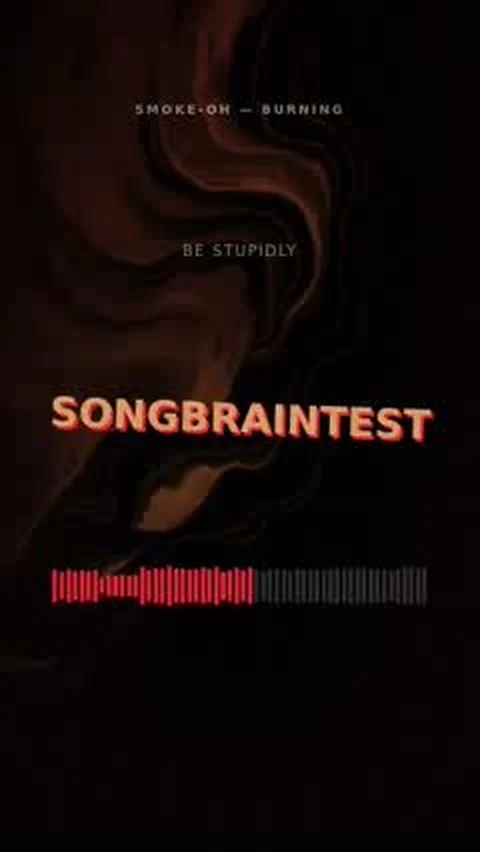
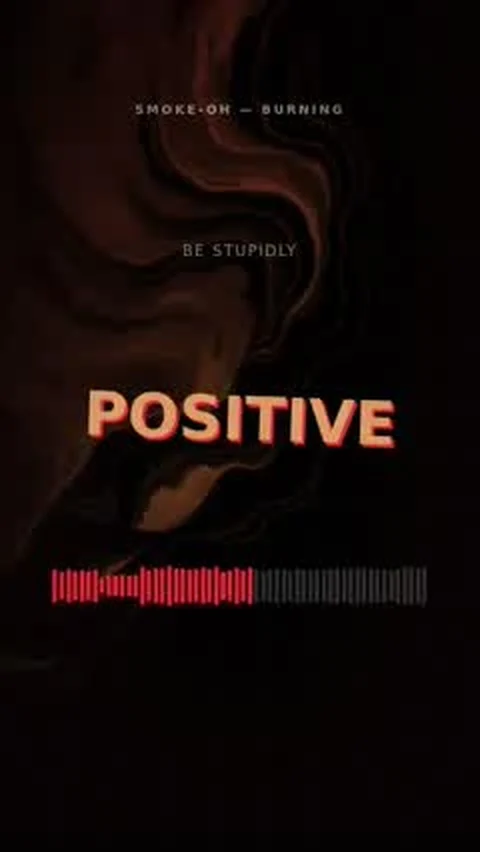
Left: with the test word typed into the editor. Right: after the original word was put back.
Get your reels, then make the words yours
Upload your song. You get the lyrics with timing and 7 reels in about a minute. The editor is in your account, on every song.
First song free, no account · the lyrics editor needs a free account
Why AI gets song lyrics wrong
Speech models are trained on people talking. A song is harder: there is a band playing over the voice. Drums sit where consonants are, a guitar sits where the vowels are, and the singer stretches words in ways nobody does when speaking.
Then come the things no model can know: your artist name, a street in your town, slang, a made-up word in the hook. A model writes down the closest thing it has heard before.
For a transcript that is fine. For a lyric video it isn't, because the wrong word is part of the picture. An artist wrote to us about exactly that: the text had mistakes and there was no way to put in his own. That message is the reason this editor exists.
How to fix your lyrics, step by step
Open your song and click Edit. It is the button on the song card, the same place where you change the name, the genre and the cover. Or click Edit on a single reel and choose Lyrics — then you only see the lines sung in that reel.
Choose Edit lyrics. Every line is listed with the second it is sung at, exactly as it is in your videos right now.
Fix the line that is wrong. Change a word, add one, remove one. To delete a whole line, empty it. The line keeps its place in the song: unchanged words keep their timing, new words share the time of what they replace.
Click Save. It takes a few seconds. Nothing is listened to again, so nothing else in your lyrics can move.
Click Update my videos. Your reels are rendered again with the new words. That is free. It takes a few minutes for a full set.
What changes, and what doesn't
- Changes: the words in your reels, the full-length YouTube videos, the captions written for your posts and the subtitle file.
- Stays: the pictures of your storyboard, the cuts, the score and your best moments. Those come from the sound, not from the spelling.
- Not included: the paid AI music video. It keeps the lyrics it was made with. If they are wrong, use its download without lyrics.
Three things that make it work the first time
Write what is sung, not what is on the lyric sheet. If the chorus comes four times, write it four times. If you dropped a line in the studio, drop it here.
Keep your line breaks. A line in the editor becomes a line on screen. Short lines read better in a vertical video than long ones.
Start from what is there. Fixing ten wrong words in the existing text is safer than pasting a different version of the song. If your song is in Russian, read what we changed for Russian lyrics first — new uploads start from a much better transcript.
A reel without lyrics
Sometimes the fix is no text at all. Open a reel, click Edit, choose Lyrics and turn off Show lyrics in this reel. Your download of that reel comes without lyrics: the same pictures and the same cuts, just clean. The other reels keep theirs.
The switch is there on every reel where the picture carries the video — the storyboard, vinyl, VHS, spectrum and more. Reels that are made of the words themselves (kinetic lyrics, the quote card, karaoke) don't have it.
What this can't fix
The line editor changes words inside the timing Songbrain heard. A line it never heard — a quiet intro under a loud beat — isn't in the list to fix. For that, paste the whole text instead (the link sits under the lines): Songbrain listens to the song again and places what it can hear, and tells you how many words had to be left out.
FAQ
No. Editing the lyrics is free, and so is rendering your reels again afterwards. A song can be updated three times a day; that limit is shared with new covers and a new song name.
Yes, on most reels. Open the reel, click Edit, choose Lyrics and turn off "Show lyrics in this reel". The download comes without text; the preview in the editor still shows it. Reels made of the words themselves (kinetic lyrics, quote card, karaoke) don't have the switch.
No. The text has to be what is sung in this song. If it doesn't match what Songbrain hears, it is refused and your lyrics stay as they were.
No. The free reels and the YouTube videos are rendered again. The paid AI music video keeps the lyrics it was made with; it always comes with a second download without lyrics.
Yes. The editor works in every language whose words are separated by spaces. Songs in Russian and other Cyrillic-script languages also keep their Latin-letter version, which is rebuilt from your text.
Your song, your words
Lyrics with timing and 7 reels from one upload. First song free, no account.
More guides
Tools for this
Find the Viral Radar for your genre
The best Songbrain songs in your genre, and where your own track would land.