I Uploaded My Entire Album to an AI — Here's What Came Back
August 4, 2026 · 8 min read
The short version
Every song gets a score. Upload the album once and see, in plain numbers, which song on your album is the strongest.
The ★ BEST badge picks your single. It's usually not the song you would have picked — and that's exactly why it's worth looking.
Two numbers tell you what album you have. Average close to best score = consistently strong record. Far apart = one song carries the album, so you build the release around it.
The release content comes with it. 4 album videos plus reels for your top tracks, already laid out on a day-by-day posting plan.
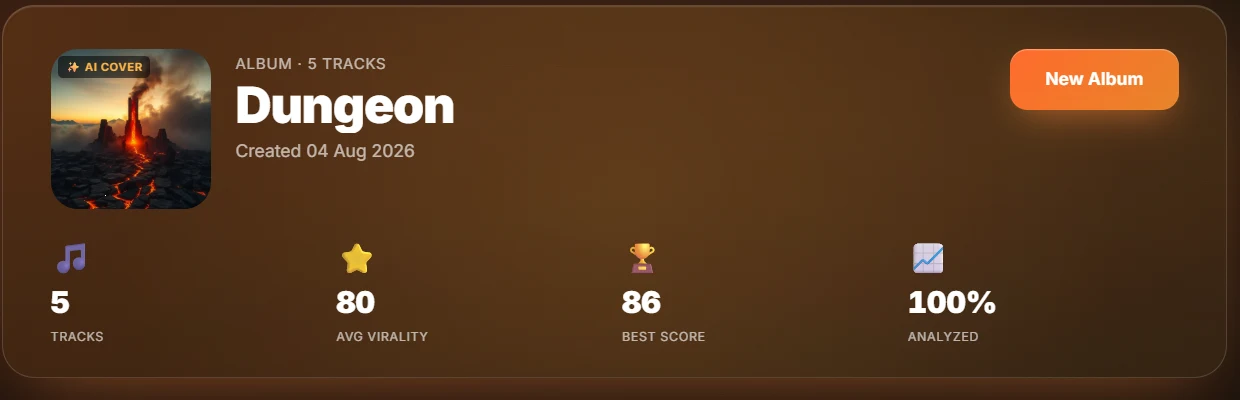
This is a real 5-track album right after analysis — not a mockup. Uploaded in one batch, fully analyzed in under ten minutes:
Finishing an album? See your own numbers.
Upload your album now →Part of Songbrain Premium · single tracks are free to try
Album upload, condensed
From a folder of finished masters to a ranked album with a lead-single verdict and release content — one upload.
Every artist finishing an album faces the same three questions: which song leads, which order do the tracks go in, and what do I post. The usual way to answer them is vibes, a group chat poll, and panic. The rest of this guide walks through what happens when you make the data answer instead.
What the album header tells you in 5 seconds
Four numbers: track count, average virality, best score, percent analyzed. The two that matter are average virality— the album's floor — and best score — the ceiling. Here: average 80, best 86.
That 6-point spread is the healthiest read an album can give you: a consistent record with a clear leader. A 20-point spread would mean one song is doing all the work — still fine, but it changes the rollout completely (you build everything around the one song and treat the album as its container). If you don't know what a single score means yet, start with what a good virality score is.
The ★ BEST badge — your lead single, decided by data
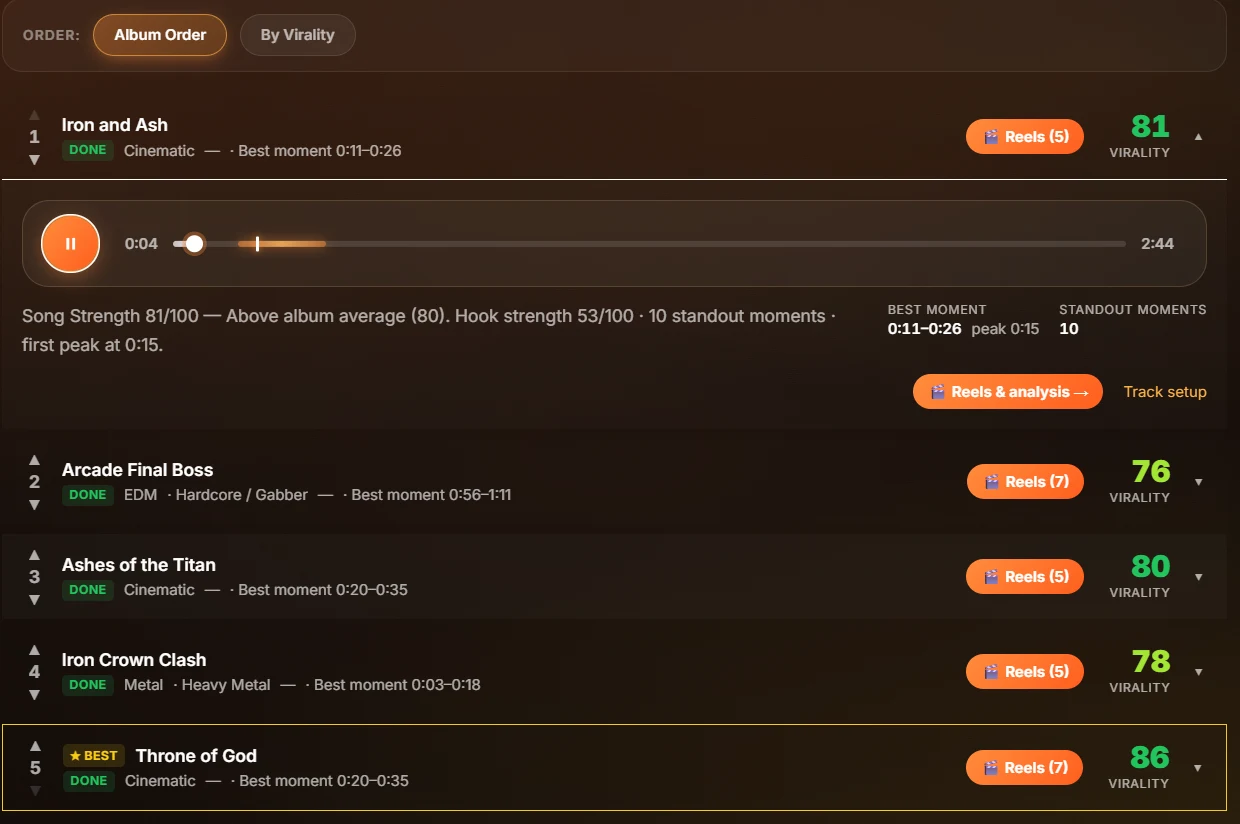
Every track row shows its virality score, genre, and best moment down to the second. The highest scorer gets the ★ BEST badge — on this album, the closer at 86, not the opener the artist would have led with. That is the whole point of scoring the album as a batch: every track goes through the same model, so the ranking is actually comparable.
Expand any row and you get the per-song verdict: Song Strength vs. album average, hook strength, standout moment count, and where the first peak lands. The track expanded in the screenshot peaks at 0:15 — comfortably inside the skip window (here's why the first 12 seconds decide everything). A track whose first peak lands at 0:45 is a re-cut candidate before release day, not after.
The part nobody expects: the album markets itself
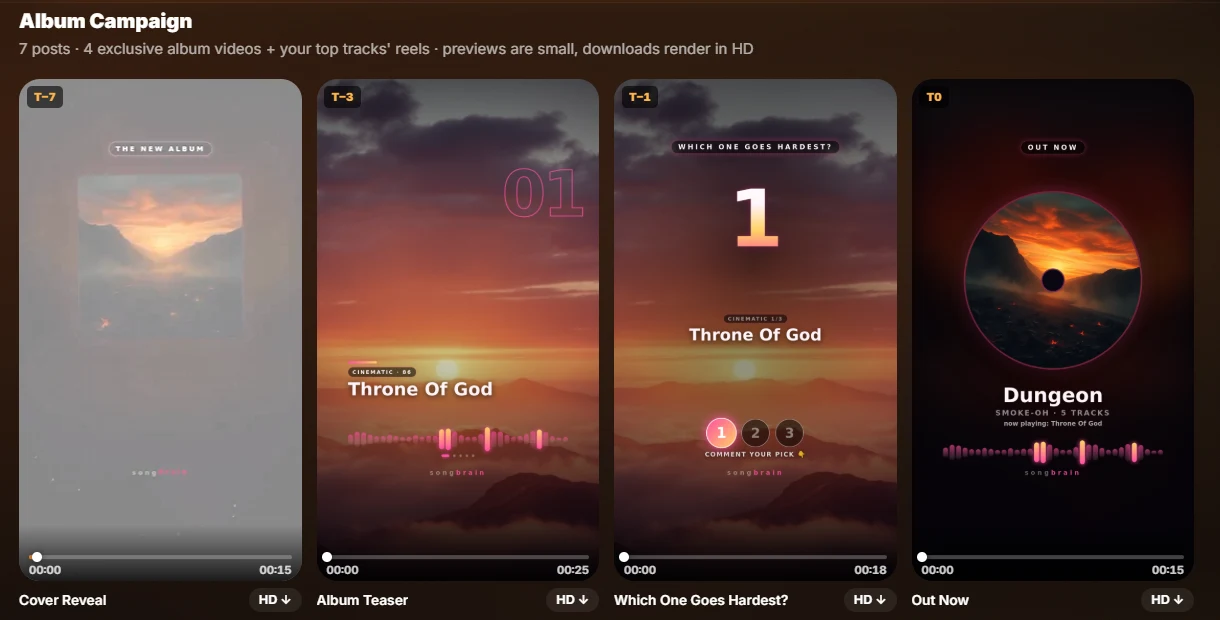
Scores are diagnosis. The campaign strip is treatment. Every album upload also generates 4 exclusive album videos— a cover reveal, a teaser cut from your top three tracks' best moments, a comment-bait poll ("which one goes hardest?"), and an out-now post — plus reel sets for your top tracks, all scheduled on a day-by-day release plan. The full posting strategy has its own guide.
The six steps
Hit New Album, name it, drag every track in. No per-song uploading ritual — the queue runs the full analysis pipeline on each track: audio features, genre, lyrics, viral moments, virality score.
Each track gets the same treatment as a single upload: the full analysis, hook detection to the second, standout moments, genre classification. The album header fills in as tracks complete — tracks analyzed, average virality, best score.
Three numbers matter: average virality (the album's floor), best score (your lead single candidate), and the spread between them. A tight spread means a consistent record. A wide spread means one song is carrying — and that song leads the rollout.
The AI flags your highest-scoring track automatically. This is the data answering the question every artist gets wrong about their own record: which song is actually the strongest. It is usually not the one you would have picked.
Every row expands into Song Strength vs. album average, hook strength, standout moment count and where the first peak lands. Ten seconds per track tells you which songs need a re-cut before release day.
The album page generates a 7-post release campaign on top: 4 exclusive album videos (cover reveal, teaser, poll, out-now) plus your top tracks' reel sets, laid on a T-7 to +8 day plan.
What it costs
Album upload is part of Songbrain Premium ($19/month or $180/year, 1,000 credits a month). Each track analysis costs 25 credits, so a 10-track album runs 250 credits — a quarter of a month's allowance, with everything above included: the scores, the verdicts, the campaign videos, the reels. If you just want to feel the analysis first, a single-track analysis is free — no card, no account.
Finishing an album?
Upload it before you decide the lead single. The data disagrees with the artist more often than you'd think — and it's right more often than that.