Suno Just Capped Your Downloads: What the New Limits Mean for Your Music (2026)
August 13, 2026 · 7 min read
The short version
Your Suno downloads are not guaranteed forever. Free and lower-tier accounts on AI music platforms keep getting new limits on how many tracks you can pull down, and how often. Nobody who has built a catalog on one of these tools should assume unlimited access next month.
The fix has nothing to do with Suno. Once a track is on your hard drive as an audio file, it's yours. The move is to download everything you care about now, while you still can, and immediately turn each file into something that lives outside the platform.
One upload becomes seven finished videos in about a minute. Songbrain takes the audio file you already downloaded and returns a Virality Score, the song's best moments, and 7 ready-to-post 9:16 reels with captions and hashtags for TikTok, Reels, and Shorts.
It's free to check — no account, no card. The demo at app.songbrain.ai/try runs one full analysis so you can see exactly what comes back before you decide anything else.
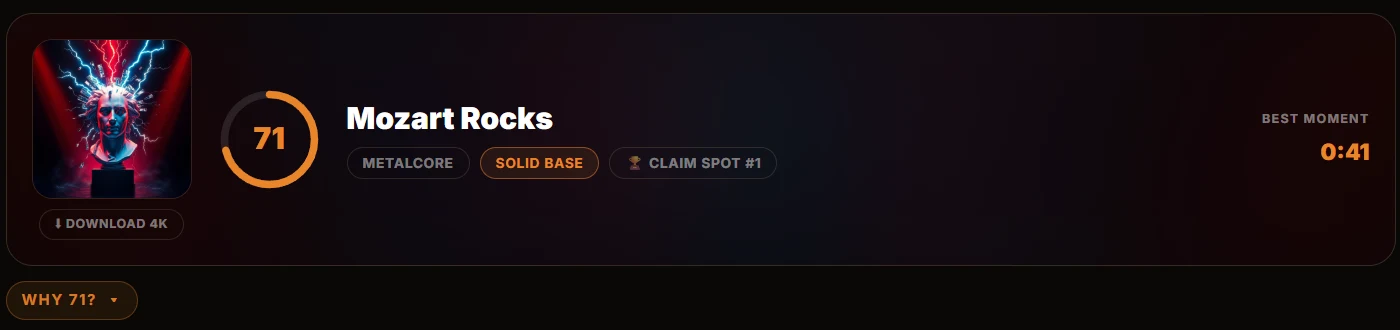
This is a real Songbrain result header — not a mockup.
Download it while you can. Use it before the limit does.
Pull the audio file from Suno, drop it into Songbrain, and get 7 reels plus AI cover art back in about a minute.
Try it freeFree · no account · no card
What's actually changing
Generative music platforms, Suno included, have been steadily tightening what free and entry-tier accounts are allowed to download and how often. The exact caps move around, and Suno has not published a fixed public number that's stable enough to quote here — which is exactly the problem. When the rules can shift without much warning, planning your release around "I'll just re-download it later" stops being a safe bet.
The underlying trend is what matters: AI music tools are built to keep you generating inside the platform, not to be a permanent archive for your masters. Treat every download you're still allowed as a small window, not a standing right.
Why this matters more than it sounds
If your only copy of a track lives inside Suno's system, you don't actually own a finished song yet — you own access to one. A tighter download limit doesn't just cap how many files you grab this month. It caps how much of your own catalog you can back up, distribute to streaming, or turn into promo content before the door narrows further.
This is the same reason artists who build a release around one Suno track without a distribution plan tend to lose momentum fast — see how to release a Suno song on Spotify for the steps that actually get a track live outside the platform.
The 3-step backup-and-repurpose plan
- Download every track you care about, today.Not the ones you're "planning to finish." All of them. Storage is cheap; a locked-out account is not reversible.
- Run each file through Songbrain.One upload gives you a Virality Score, the song's Best Moments with exact timestamps, and 7 ready-to-post reels — already cut, captioned, and hashtagged per platform. See turn your song into reels for what that output actually looks like.
- Post before you plan the "perfect" rollout. A finished reel sitting on your phone does nothing. Check post 7 reels, keep what works for a simple posting order that doesn't require a strategy meeting.
If it's a whole album, not one track
Downloading track by track from Suno gets tedious fast once you've got a full project. Songbrain's Premium album engine takes up to 20 tracks at once, scores every one with the same model, ranks them, and flags the strongest with a ★ BEST badge as your lead-single recommendation. On top of the per-track reels, you get 4 exclusive album videos — Cover Reveal, Album Teaser, a "Which One Goes Hardest?" comment poll, and Out Now — plus a T-7 to +8 release plan with checkboxes.
Do the math on a 10-track album: up to 74 ready-to-post videos from files you already had sitting on your drive. Full walkthrough: how to upload an album for AI analysis and best album track order.
What you get back that Suno never gave you
Downloading the raw audio only solves half the problem — you still need something to post. Every Songbrain analysis includes AI cover art generated from the song's own DNA (genre, mood, energy, not a template), so even a track with zero artwork walks away with a finished cover in the same minute the reels are done.
If you're not sure whether a track is even worth the rollout effort, run it through the score first — see what is a good Virality Score to read the number before you commit a week of posting to it.
Every day you wait is a download you might not get back.
Grab the file, run the free analysis, and see your 7 reels and cover art before you worry about anything else.
Free · no account · no card